Expressions
Hydrui has an integrated scripting language with a syntax similar (but not identical) to JavaScript. Currently, the only use case for this scripting language is to support client-side filtering and sorting of Hydrui page views.
Filtering
Client-side filtering can be activated by opening the context menu inside of a page view (Utilities → Filter View with Expression...).
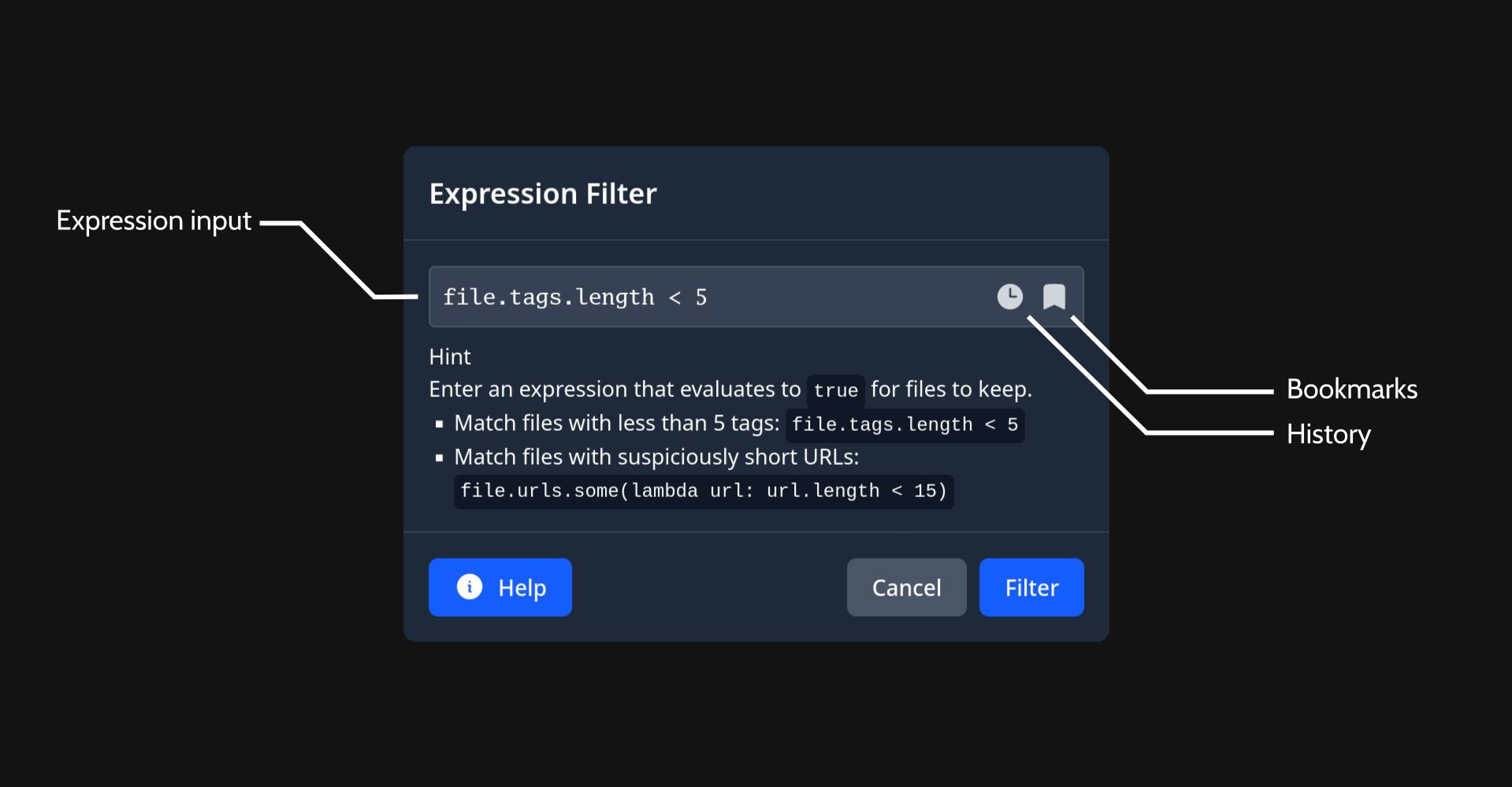
- The expression input is self-explanatory: you can enter the expression here.
- The last 100 filter expressions are saved in the history.
- You can bookmark useful filter expressions and give them names.
The variable file is available to access properties of the file. The filter expression is ran for each file in the page view. If it returns true, the file is kept. If it returns false, the file is removed from the view.
If you run the filter from a Hydrus Network page, the resulting filtered data will be copied to a new Hydrui virtual page, since Hydrui can not mutate the page in Hydrus Network.
Sorting
Client-side sorting can be activated by opening the context menu inside of a page view (Utilities → Sort View with Expression...).
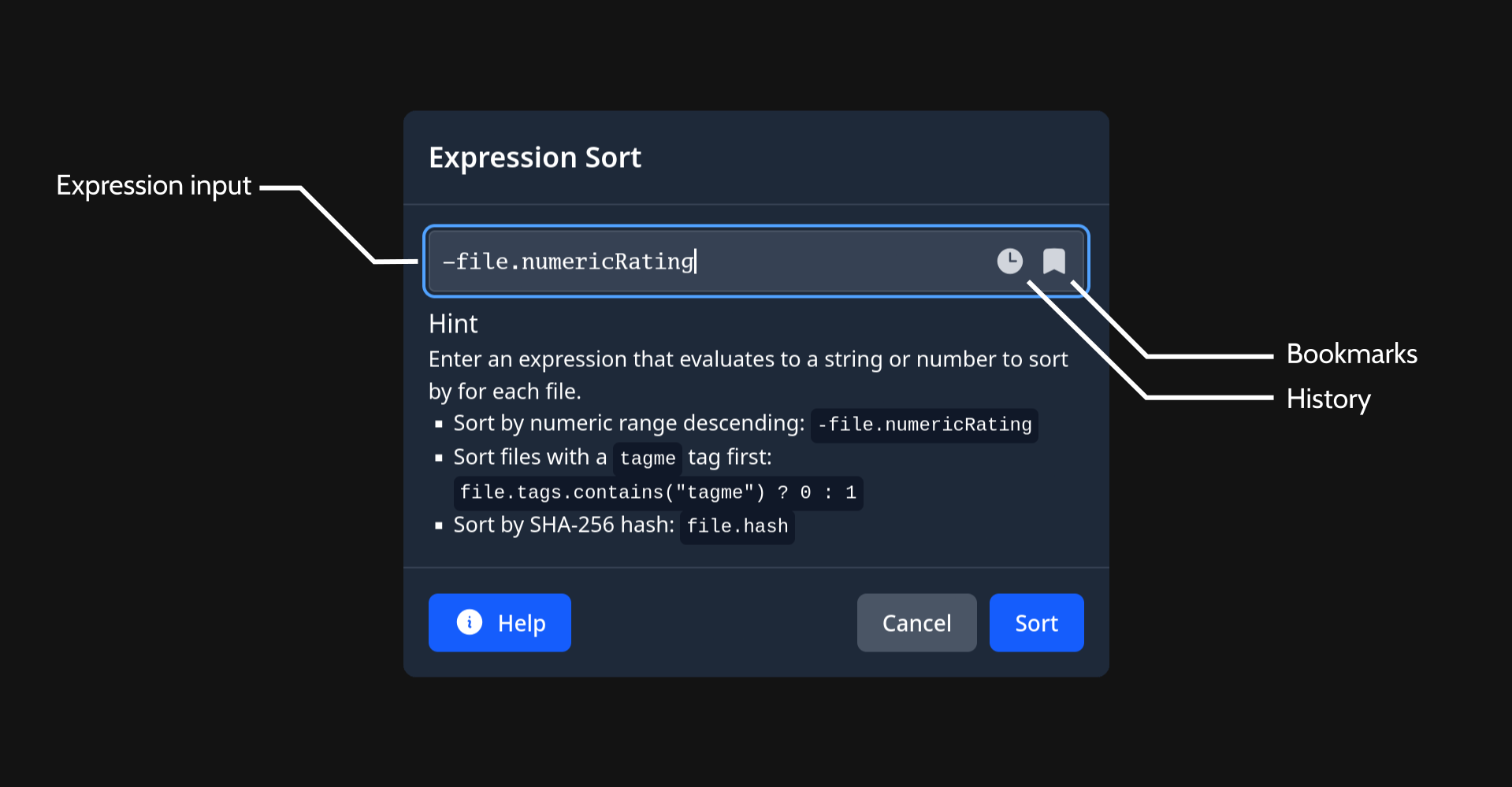
- As with the expression filter modal, you can enter an expression into the expression input.
- The last 100 sort expressions are saved in the history.
- You can bookmark useful sort expressions and give them names.
The variable file is available to access properties of the file. The sort expression is ran for each file in the page view. The sort expression should yield either a number or string for each file, which will then be used to sort the file accordingly.
If you run the sort operation from a Hydrus Network page, the resulting sorted data will be copied to a new Hydrui virtual page, since Hydrui can not mutate the page in Hydrus Network.
Language
Types
The expression subset of Hydrui's internal scripting language supports a typical set of primitive types:
- Numbers (e.g.:
0) - Booleans (e.g.:
true/false) - Strings (e.g.:
"Hello, world!") - Null (e.g.:
null)
In addition, the following composite types are representable in the language:
- Lists
- Hydrus files
Unary Operators
The following unary operators are supported:
- Unary Plus (
+— e.g.:+1) - Negate (
-— e.g.:-1) - Logical Not (
!— e.g.:!false) - Bitwise Not (
^— e.g.:^0)
Binary Operators
The following binary operators are supported:
- Logic:
- Logical Or (
||— e.g.:true || false) - Logical And (
&&— e.g.:true && true)
- Logical Or (
- Comparison:
- Equal (
==— e.g.:true == true) - Not Equal (
!=— e.g.:true != true) - Lesser (
<— e.g.:0 < 1) - Lesser Equal (
<=— e.g.:1 <= 1) - Greater (
>—e.g.:1 > 0) - Greater Equal (
>=— e.g.:1 >= 1)
- Equal (
- Arithmetic:
- Add (
+— e.g.:1 + 1) - Sub (
-— e.g.:70 - 1) - Mul (
*— e.g.:4 * 6) - Div (
/— e.g.:10 / 2) - Rem (
%— e.g.:2 % 1)
- Add (
- Bitwise:
- Or (
|— e.g.:2 | 4) - Xor (
^— e.g.:1 ^ 1) - Lsh (
<<— e.g.:1 << 4) - Rsh (
>>— e.g.:840 >> 2) - Bitwise And (
&— e.g.1 & 1) - Bitwise And Not (
&^— e.g.1 &^ 1)
- Or (
- Member (
.— e.g.:file.width) - Call (
()— e.g.:file.tags.contains("meta:animated")) - Subscript (
[]— e.g.:file.tags[0]) - Group (
,— e.g.:0, 1)
Binary operators in the Hydrui script language follow Go precedence rules. These rules are similar to C, but alleviate some common footguns.
Ternary Operator
The C-style ternary operator is supported. The ternary operator allows an expression to have an inline conditional and make a choice based on the result of that conditional. For example, if you wanted to write an expression that got either the width or height of a file, whichever is larger, you could express it like so:
file.width > file.height ? file.width : file.height